ValoClimb: Sound is not working on the ValoClimb
Last updated: May 12, 2026
This guide will walk you through restoring audio to your ValoClimb system. These steps progress from the most common software settings to physical hardware checks.
Step 1: Verify Software Volume
First, ensure that the software itself isn't muted or set too low.
Access the Settings Menu on the ValoClimb touch screen.
Select the Sound tab from the menu options.
-
Adjust all volume sliders to 100%.
For a detailed breakdown of these menus, see our Software Settings Article.
Step 2: Verify Speaker Power
If the software is configured correctly, check if the speakers are receiving power. Locate your specific speaker model below.
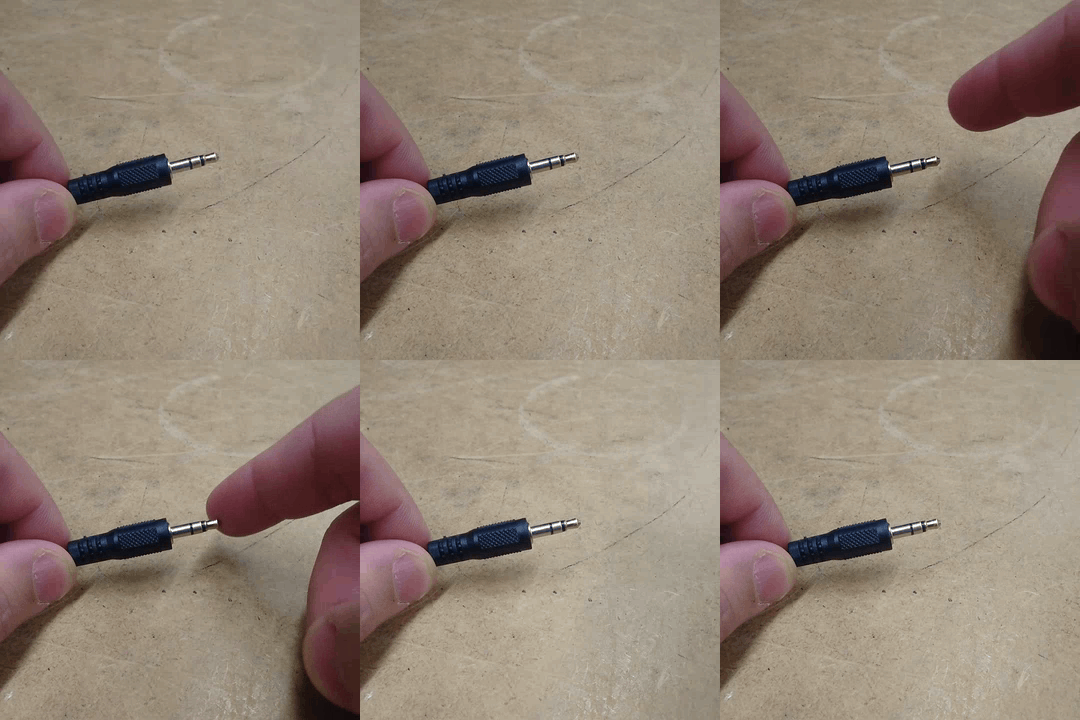
One of the easier ways to test if a speaker is on and working is by taking the 3.5mm audio jack out of your ValoClimb's computer, and lightly touching the cable. This should produce a noticeable "hum" or "buzz" sound, which indicates that your speaker is on, and taking in electricity.
Identify Your Speaker Model
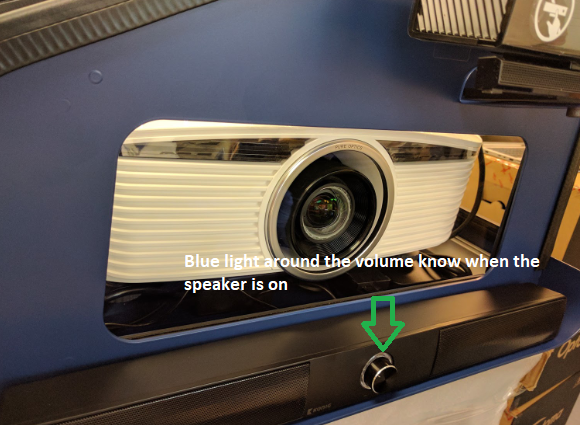
König (Front LED Light, Press Power button; check for light.)
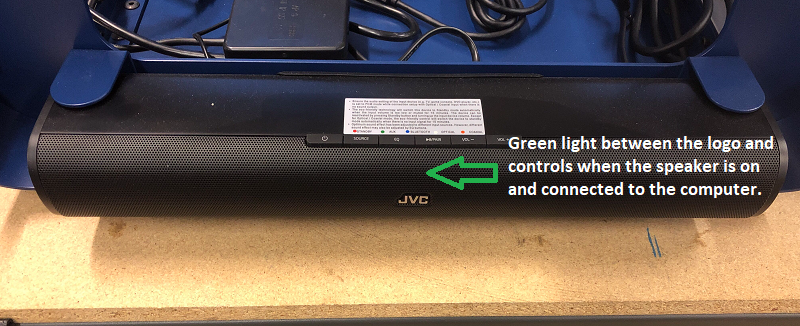
JVC (Front/Side LED Light, Press Power button; check for light.)
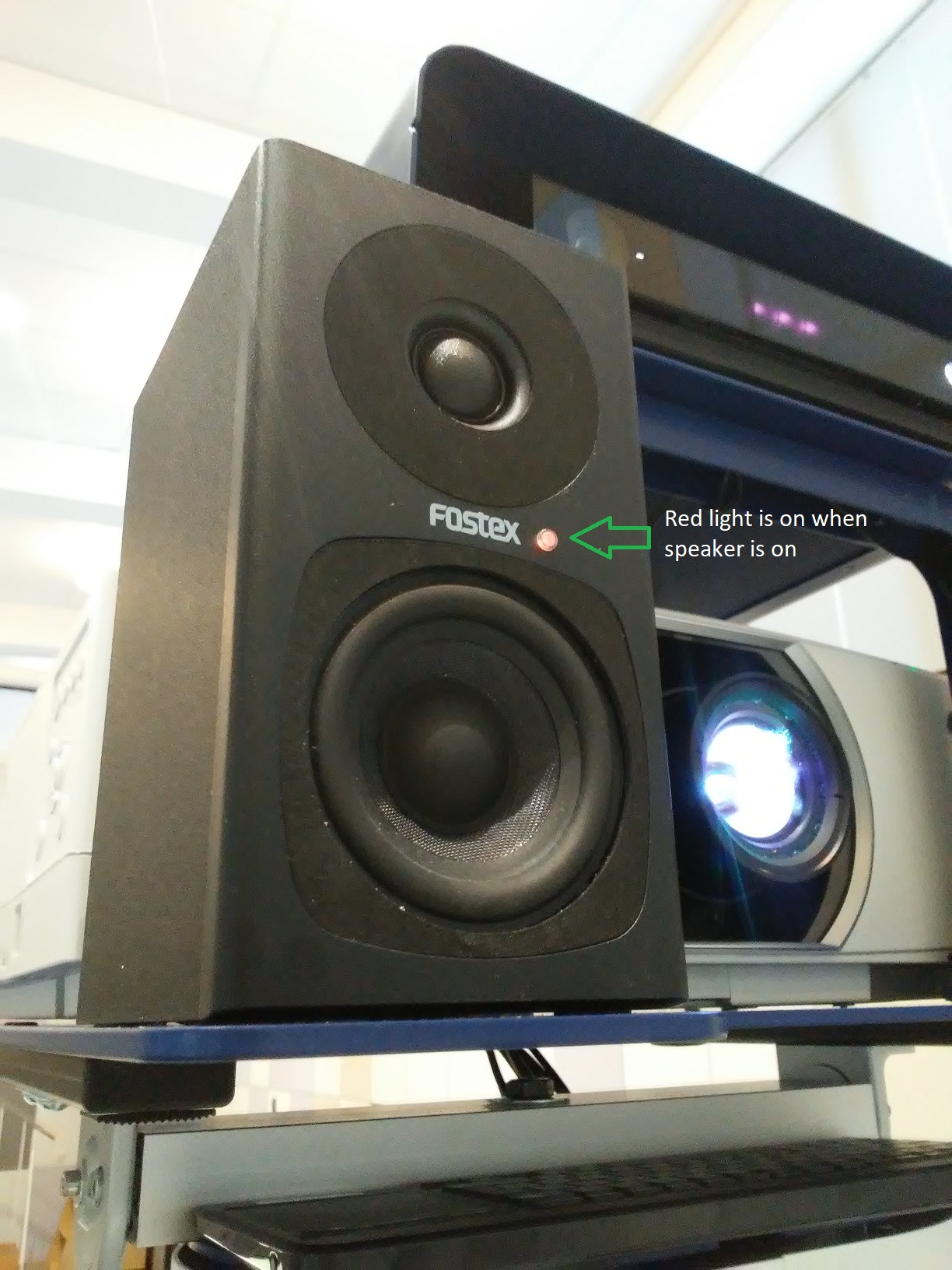
Fostex (Rear LED Light, Toggle Rear Switch; check for light.)
Troubleshooting Power
-
If the light is OFF: Check that the power cable is firmly plugged into the speaker and the wall outlet/power strip.
Note: For dust protected models, or the models with a metal case, you need to open the case and investigate from underneath the front glass if the cable is well connected to the soundbar or not.
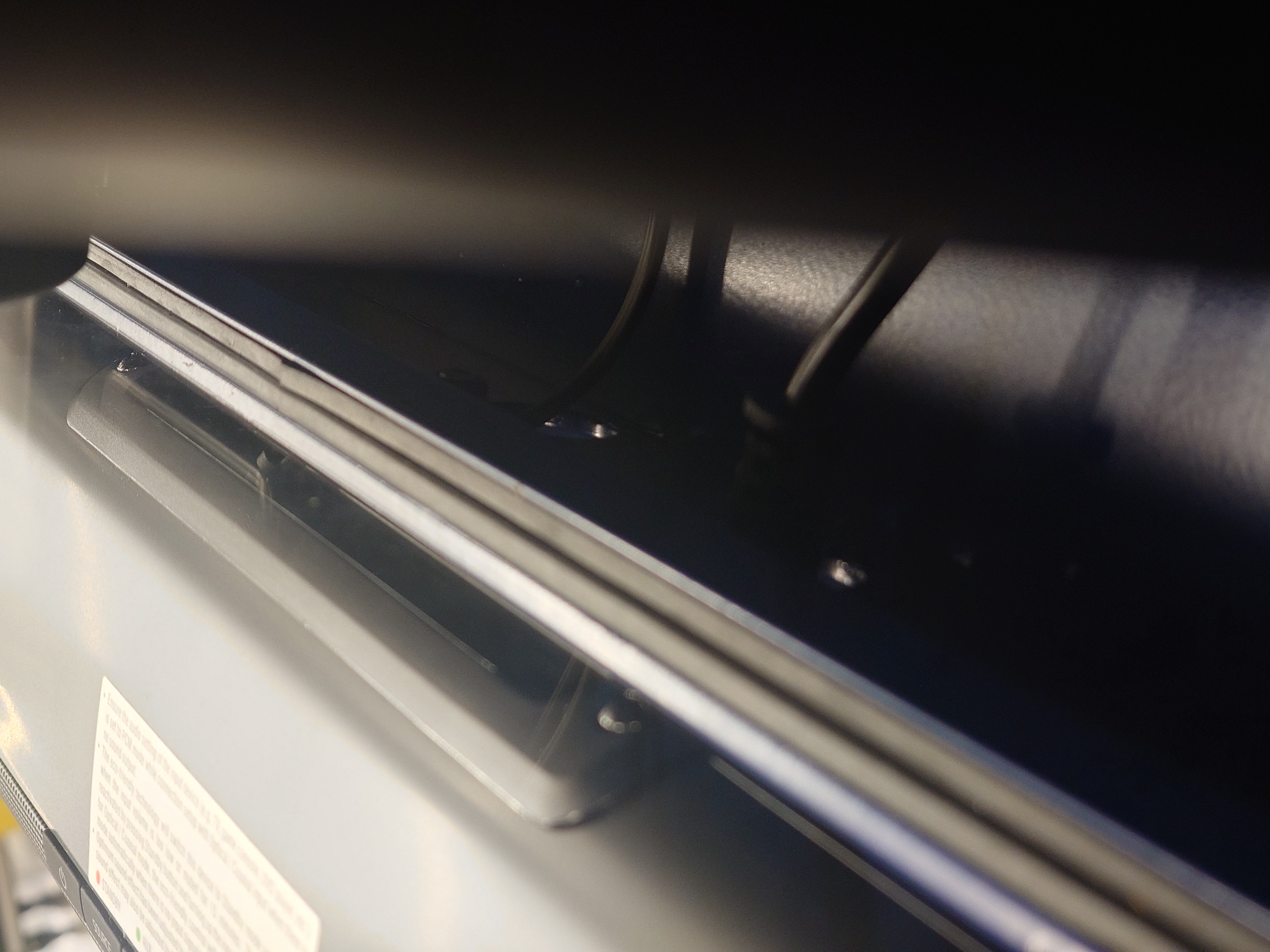
If the light is ON: Proceed to Step 3.
Step 3: Adjust Physical Volume Controls
Even if the software is at 100%, the physical knob or button on the speaker may be turned down.
König Speakers: Locate the knob on the unit and turn it clockwise to increase volume.
JVC Speakers: Locate the control panel and press the Vol+ button.
Fostex Speakers: Reach to the backside of the speaker and turn the volume knob clockwise.
Conclusion
If you have completed all three steps and still do not have audio, please contact our support team at support@valomotion.com.
To help us resolve this quickly, please provide the following details and the steps you have already done in attempts to solve your audio issues:
Speaker Model: (König, JVC, or Fostex)
Power Status: Is the indicator light currently on? (Yes/No)
Step Result: Confirm you have checked the touch screen sliders at 100%.